
.svg)


Types of Electricity Meters in Australia
Types of Electricity Meters in Australia



Written by
Rachel Gregg
Edited by
Ellie Garran
Reviewed by
Julia PaszkaCompare Electricity & Gas Plans
Save time and effort by comparing a range of energy plans with iSelect

What is an electricity meter?
Long story short
Your electricity meter keeps track of all the energy your household uses
This helps calculate your monthly or quarterly bills.
There are a few different types of electricity meters
The most common meters are dial (clock face), digital, cyclometer (odometer), interval (for tariffs), and smart meters.
Smart meters are becoming the new norm
The national rollout plan is aiming to transition everyone to a remotely read smart meter by 2030.
What is an electricity meter?
Your electricity meter works to measure and record your household’s electricity usage. This helps your provider work out the bill each month or quarter. Smart meters send this data automatically, while other types need to be recorded manually by your distributor. How often your meter is read depends on your distributor or provider – it could be once every three months, but it has to be at least every six months. Most electricity meters are easy to spot near the front door, at the side of your house, or in a shared space if you live in a townhouse or apartment.
Different types of electricity meters and how to read them
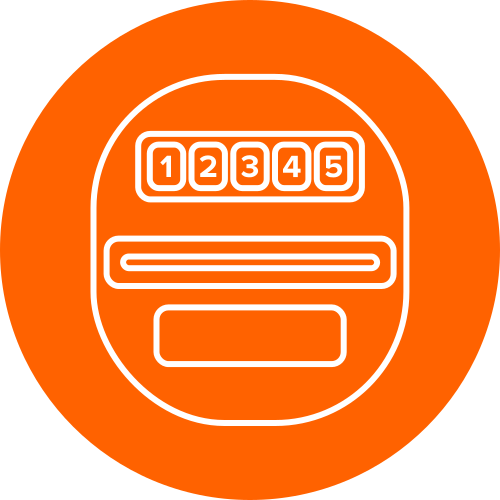
Accumulation meter
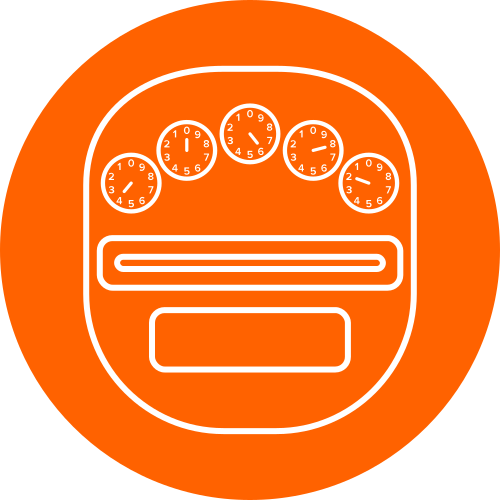
Accumulation, or flat rate meters, come in different types, but they all record a single figure: your total electricity usage. They come with either digital, cyclometer (odometer), or dial (clock face) displays.
If it’s a digital or cyclometer (odometer), just read from left to right, including leading zeros. If a cyclometer reading is between two numbers, pick the higher one, except if it’s between zero and nine, then go for nine.
For dial or clock display meters, read from left to right, starting with the furthest left dial. If it’s between two numbers, choose the lower one, unless it’s between nine and zero, in which case always go with nine.
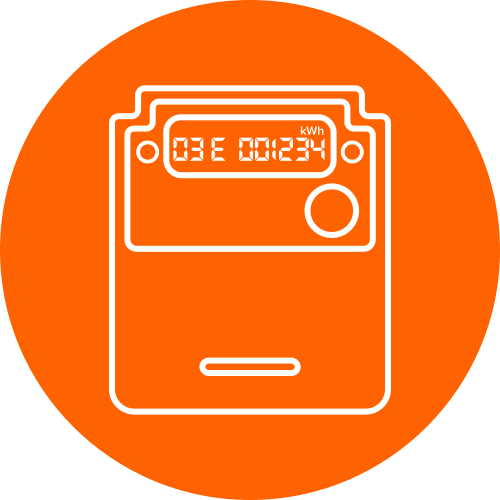
Interval meter
Interval meters are also known as time-of-use meters, since they record your energy use every 30 minutes. You’ll know if you’ve got one if your screen shows the date, time and total kWh you’ve used.
Your interval meter will show you the amount of electricity used for each tariff you have. This data will automatically cycle through on the screen. Date and time come first (in EST), followed by total usage (kWh). To record the data, jot it down from left to right, ignoring any number after the decimal point.
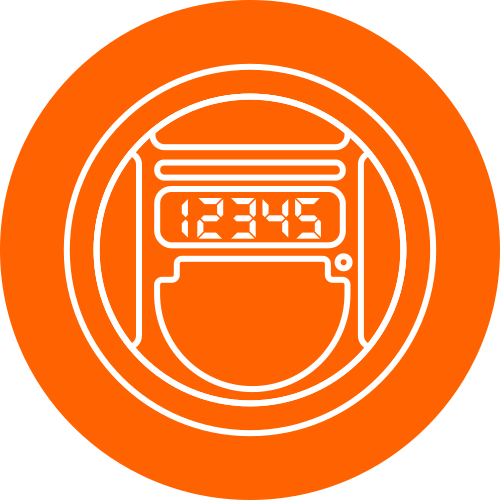
Smart meter
Smart meters record your usage every 30 minutes to an hour and send it off to your retailer daily. But how do you know if you have a smart meter? The main giveaway is the digital screen, but the difference is the amount of information available; digital meters (which look similar) usually only have one reading, whereas smart meters have a few.
With a smart meter, you don’t need to do a thing with readings, since your retailer gets them remotely. If you do need to submit a manual reading, hit the display or scroll button and note the kWh readings. Look for units like kWh and info like total consumption or tariff details.
 Helpful tip

Just because your electricity meter has a digital display doesn’t mean it’s a smart meter. A smart meter automatically records your usage and feeds it back to your retailer. Some digital meters might look a bit like smart meters, but they still need someone to come out and read them in person. If you’re not sure if you’ve got a basic meter or a smart meter, ask your retailer so you know exactly how your usage is being recorded and how it can work for you.
Julia Paszka
General Manager – Utilities
What is my NMI number?
Every electricity meter has an NMI, short for National Metering Identifier. It isn’t exactly the same as your meter number; it’s a ten- or 11-character ID number that links your meter to your address and electricity account. You’ll find your NMI on each bill you receive, usually on the first page underneath your details. If you move, then your NMI changes too, since it sticks to your address, not you. That’s why it’s worth double-checking your bill after you move, to make sure the NMI on your bill matches the one on your electricity meter.
Why might I need to submit my own electricity reading?
Sometimes your distributor (who reads your meter) can’t access your electricity meter to read it, or your smart meter can’t connect properly. When this happens, your bill is based on an estimation, therefore it’s called an ‘estimated bill’.
Unlike regular bills, which are based on your current usage, estimated bills are a guess of what your usage might be based on your previous usage. But these estimates aren’t always spot on. Sometimes they can end up too high or too low, which means you’ll get a catch-up bill later.
If you think an estimated bill is off the mark, that’s when you can do a self-reading. As long as your current estimated bill isn’t overdue, you can submit your own reading to your provider. They’ll then check with your distributor before sending you back a revised and accurate bill.
How can understanding my electricity meter be helpful?
Knowing what type of electricity meter you have and how to read it can help you become more fluent when it comes to your energy usage and bill. It’s like checking the nutrition label on your favourite snack – you can see what’s really inside and figure out how to make smarter choices. Being able to open your quarterly bill and understand all the data on the page is also handy if you’re aiming to cut back on your usage. It can also help if you need to compare energy plans down the track, so you can understand how one plan might suit more than another.
How can my smart meter help me be more energy efficient?
While you might not have a smart meter at home just yet, the national rollout should see all Aussie homes with one by 2030. But if you get one installed sooner, here are a few ways that a smart meter can help your home become more energy efficient.
Accurate billing
Since your energy usage data gets read every hour, it means your provider gets a better picture of your usage history and habits. That means no more estimated bills, more accurate charges, and an easier way to spot where you could cut back. Plus, remote readings save you some fees for connection and disconnection or meter readings.
Adding new energy-efficient tech to your home
Want to add solar panels, batteries or an EV charger to your home? You’ll need a smart meter for that. Having one at your place makes it easier to tap into renewables, lower your carbon footprint, and maybe even your bill, too. That’s a nice win-win for your wallet and the planet.
More energy plan choices when you shop around
With a smart electricity meter, you’ll be able to compare and access plans with more complex pricing, like time-of-use tariffs (rates based on different periods of the day). That means more options when you shop around for a new energy plan, so you can pick one that lines up with the way your household uses its energy.
Plan smarter, shine brighter by comparing energy plans with iSelect
Now that you know the ins and outs of your electricity meter, it’s worth checking your current energy plan to make sure it still works in your favour. Even if you’re happy where you are, it’s never a bad idea to shop around to see what else is offered. You can jump online to iSelect’s comparison tool to start comparing from a range of policies and plans, or call up and chat all things energy with the team on 1800 644 532.
Get started on comparing energy plans today!
Save time and effort by comparing a range of energy plans with iSelect




iSelect does not compare all energy providers or plans in the market. The availability of plans may change from time to time, depending on who iSelect’s providers are and what plans they make available to iSelect. Not all plans made available from iSelect providers may be compared by iSelect either due to commercial arrangements, area or availability, so not all plans or providers compared by iSelect will be available to all customers. Some plans and special offers are available only from iSelect’s contact centre or website. Energy plans are available only for properties located in eligible areas of Victoria, New South Wales, South East Queensland, South Australia and ACT. Click here to view iSelect’s range of providers.